

Working from home during the COVID-19 pandemic? The Washington State Department of Labor & Industries offers tips on how to best set up a safe and efficient workstation.
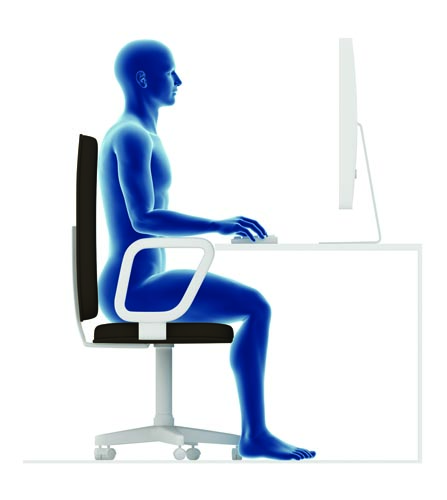
Five key ergonomics issues are:
- Relaxed shoulders
- Supported lower back
- Level head
- Straight wrists
- Supported feet
First, ensure your chair is comfortable and in good working condition. While sitting, make sure your keyboard, monitor and mouse are positioned so that your arms, wrists and neck are relaxed. If you’re working via a laptop computer, try to use a separate keyboard, mouse and monitor as much as possible.
Center your body in line with the middle of the monitor, and make sure the top of the monitor is at eye level. Adjust your chair and footrest as needed so your neck and shoulders are in a comfortable position.
Make sure you have plenty of leg room, remove any nearby tripping hazards, and use a headset or speakerphone when possible.
Regardless of how comfortable your home workstation is, Washington L&I experts encourage you to change positions at least every hour. “Change positions frequently, because your next position is your best position.”

